KB Flooris Xelion - Onboard new organisation to Flooris Xelion
Step 1: Create a new organisation
PHP Artisan console command
php artisan xelion:new
Example:
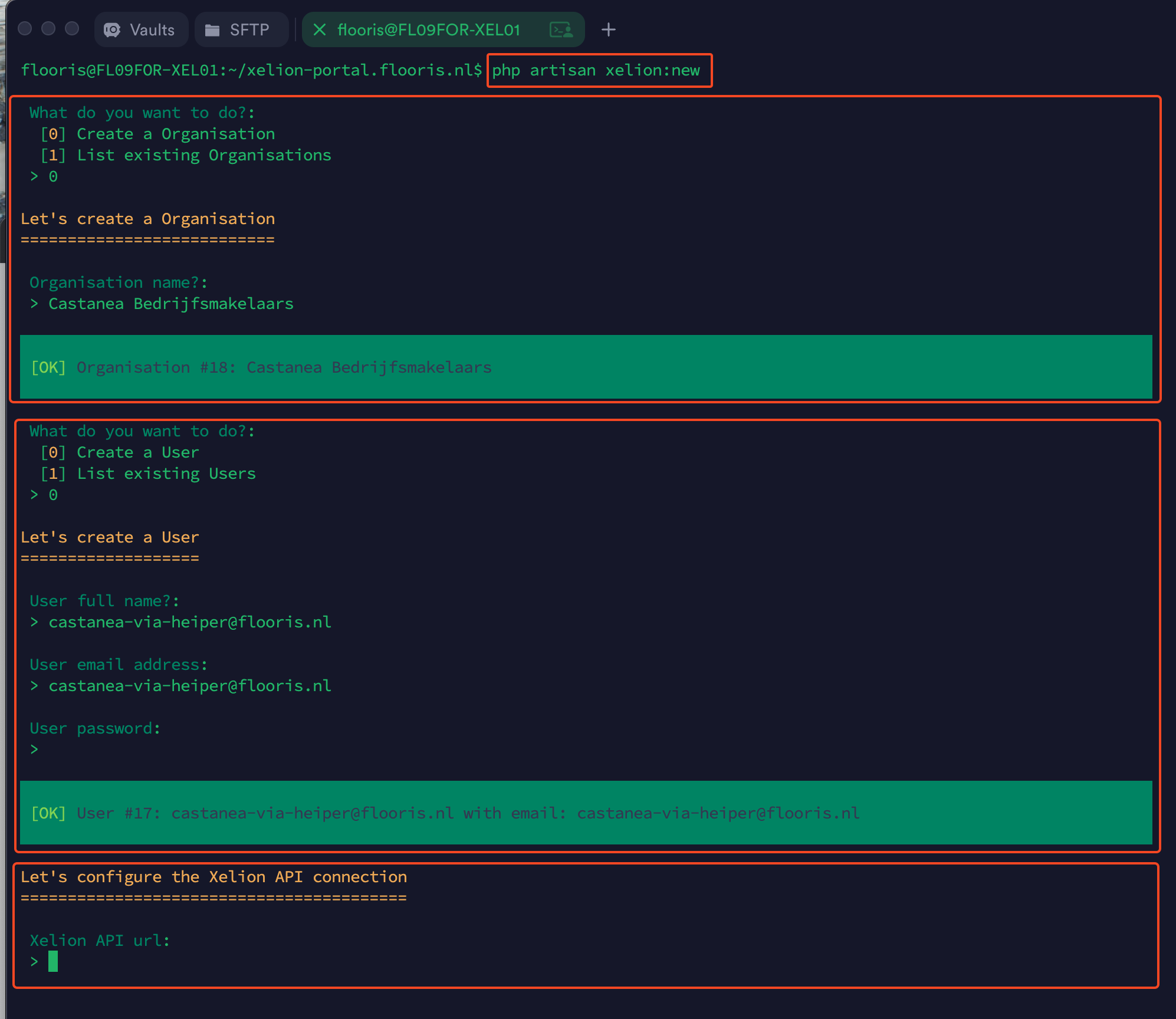
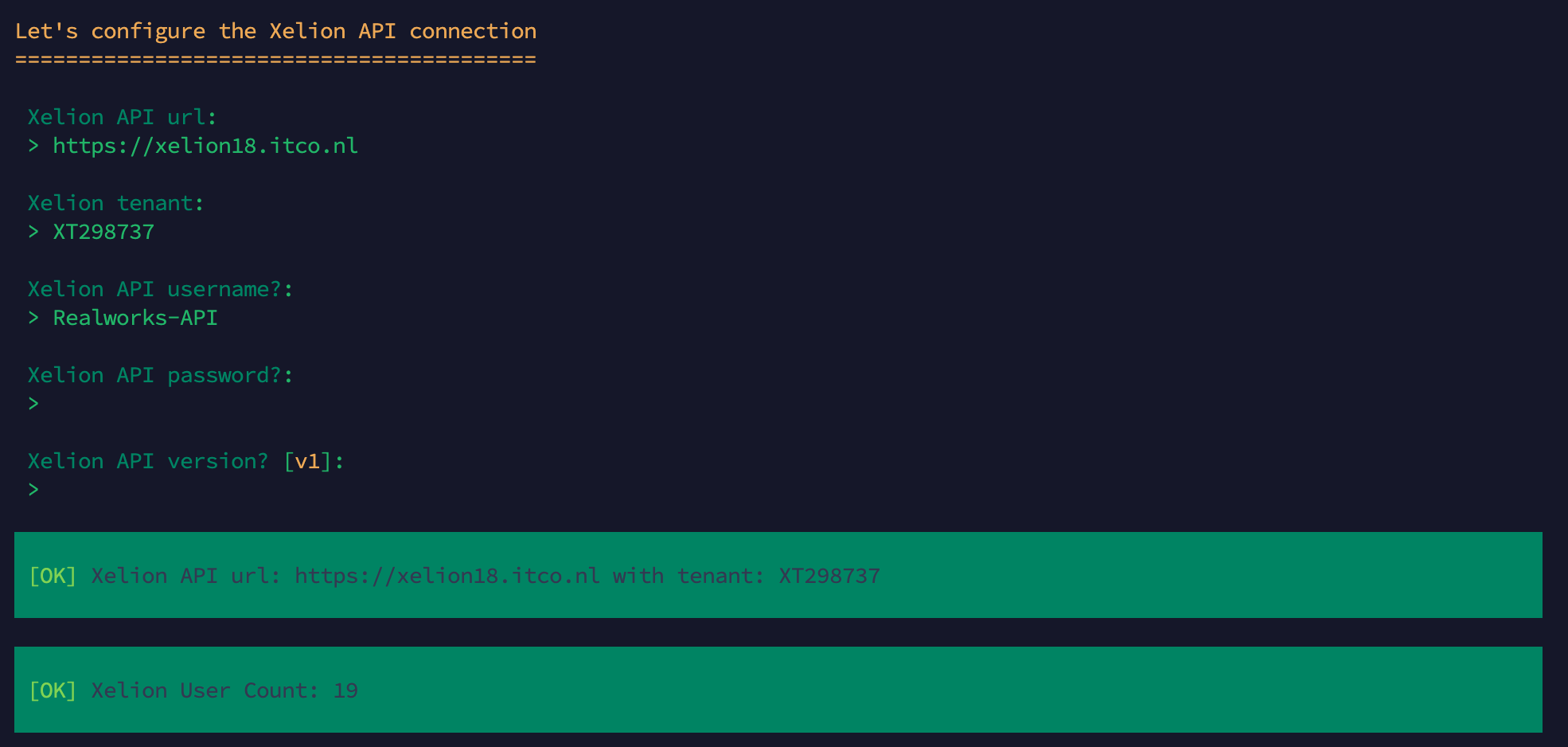
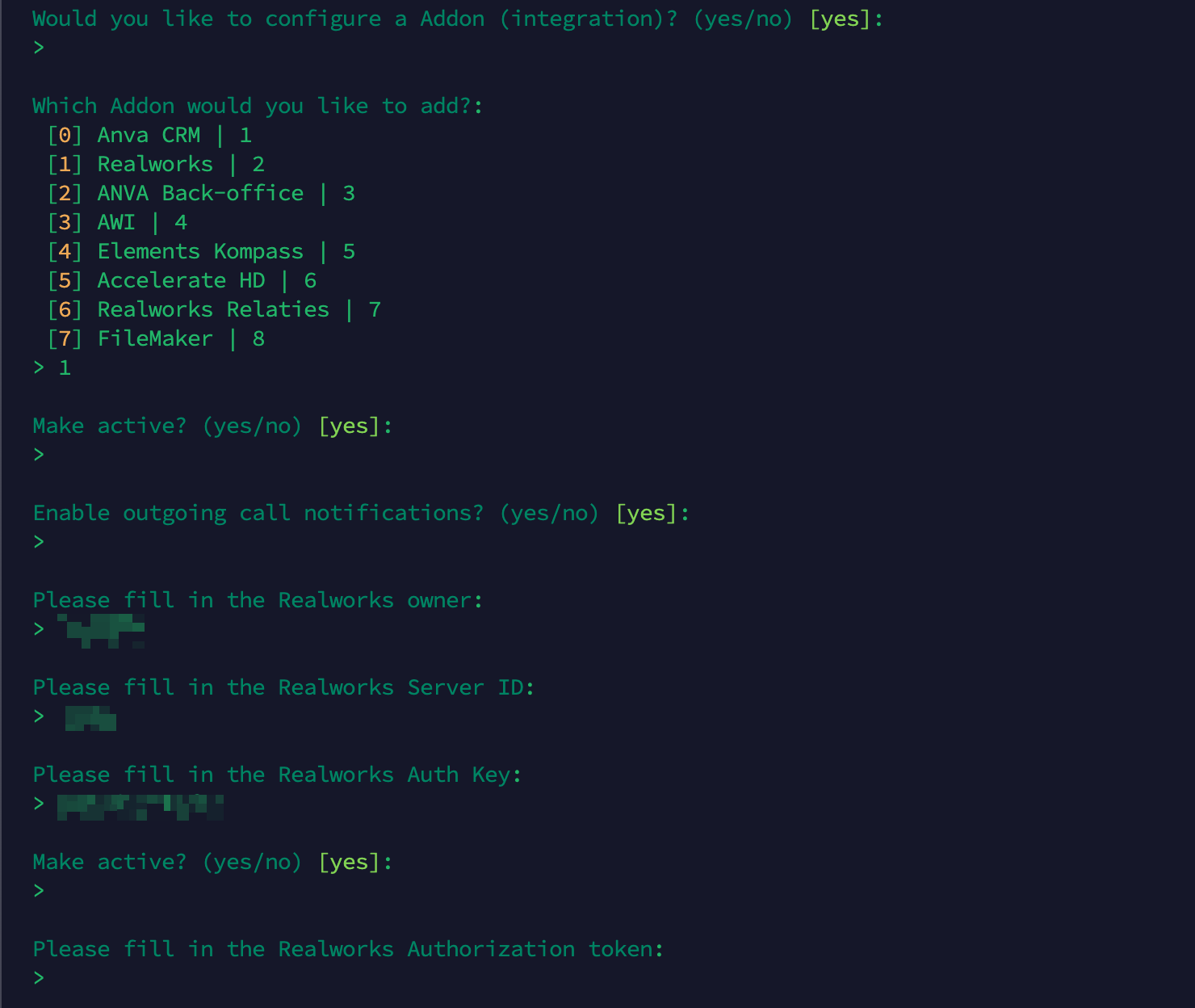
Checklist:
- [ ] The Xelion API connection is working
- [ ] Get the Organization ID
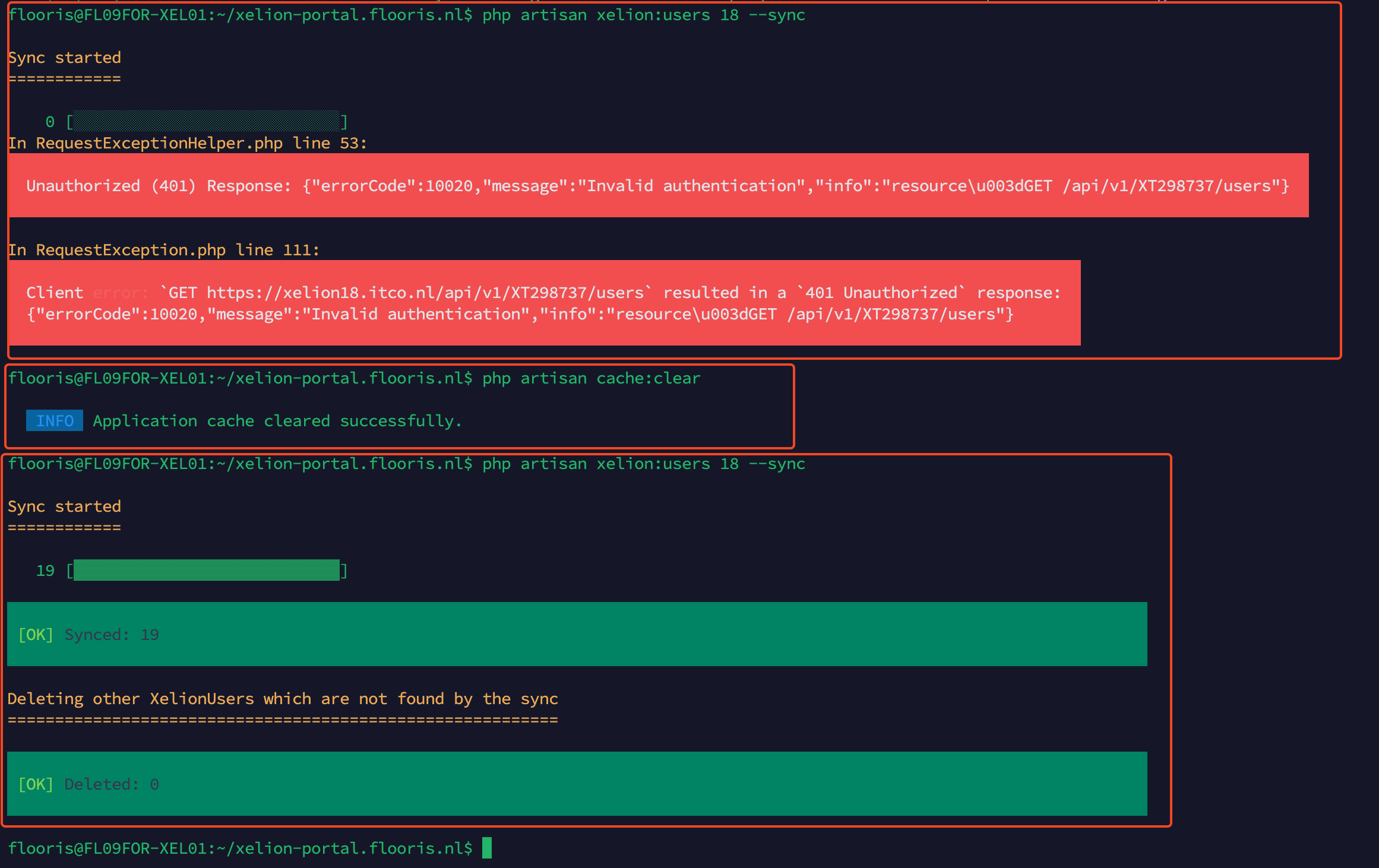
Step 2: Sync of the organisation Xelion users
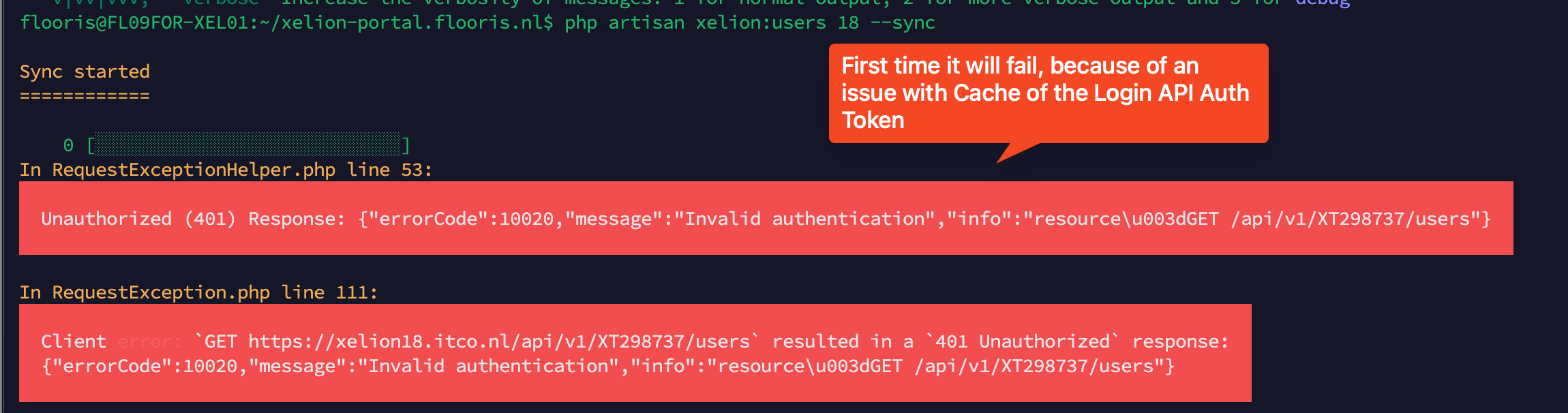
php artisan xelion:users 18 --sync
Example:
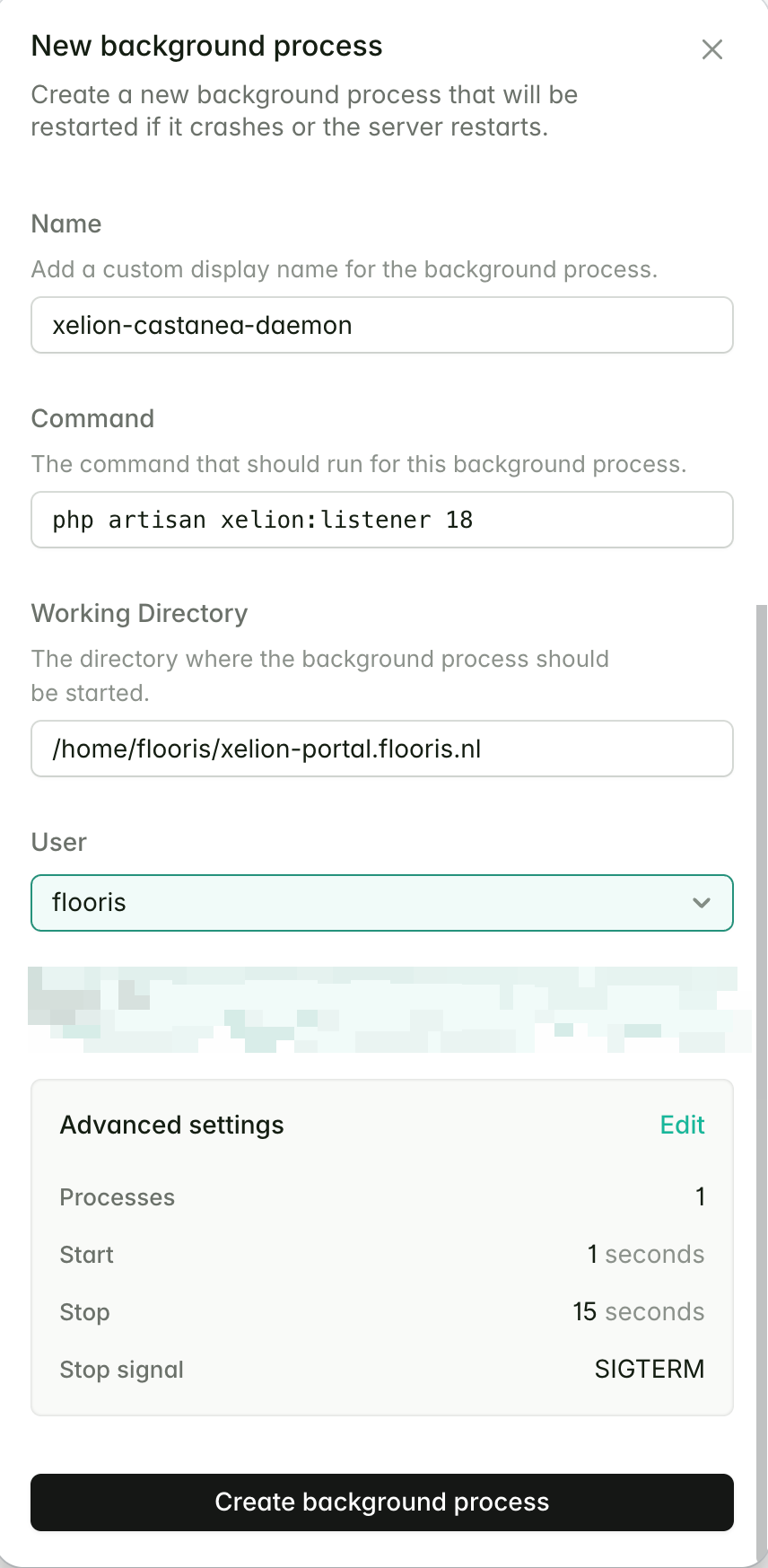
Step 3: Setup the Xelion Listener via Forge daemon
Example:
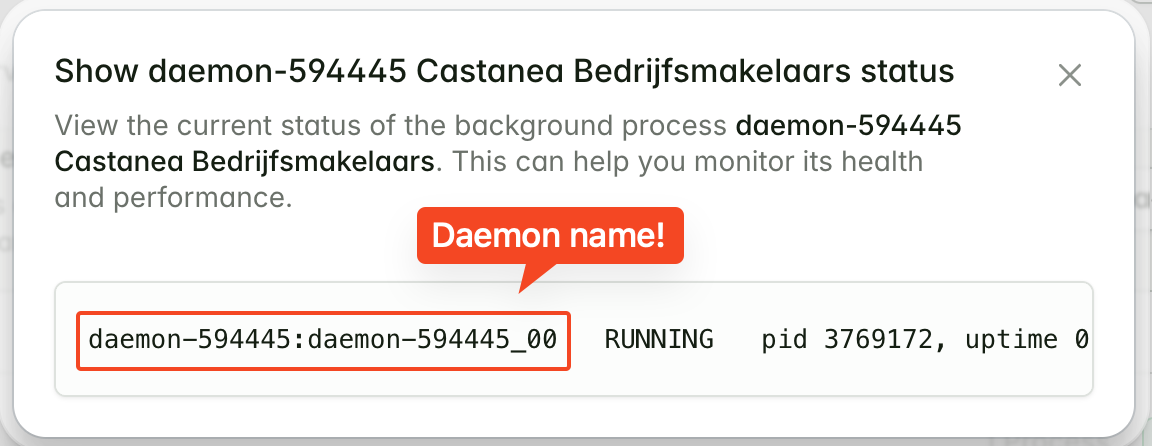

Update query for the daemon_name
Example:
-- 2025-11-06 17:29:52.9590
UPDATE `xelion_portal_prod`.`organisations` SET `daemon_name` = 'daemon-594445:daemon-594445_00' WHERE `id` = 18;
Step 4: Monitor for calls and Realworks addon actions
Determine the AddonOrganisation ID
Query:
SELECT *
FROM `xelion_portal_prod`.`addon_organisations`
WHERE organisation_id = 18;
Monitor the calls and actions via the Realworks addon in table: addon_organisation_actions.
Query:
 SELECT *
 FROM `xelion_portal_prod`.`addon_organisation_actions`
 WHERE addon_organisation_id = 19
 ORDER BY `created_at` DESC
 LIMIT 300 OFFSET 0;
This should show records with success_at.
When this is failing, this most probably means that the Realworks User internal phonenumber is not set.
Or the Realworks settings are not correct.
See instructions: handleiding-telefonie-koppeling-realworks-flooris-xelion-v2.1.pdf